Batch Image Converter for Windows
Use Orenvo Pro when image conversion is a repeat job across folders, formats, and recurring exports.
The free version lets users try the core workflow first. Pro unlocks the full desktop toolset, including unlimited batch workflows, AI tools, automation, and advanced formats.
Convert full folders in one run
Batch workflow
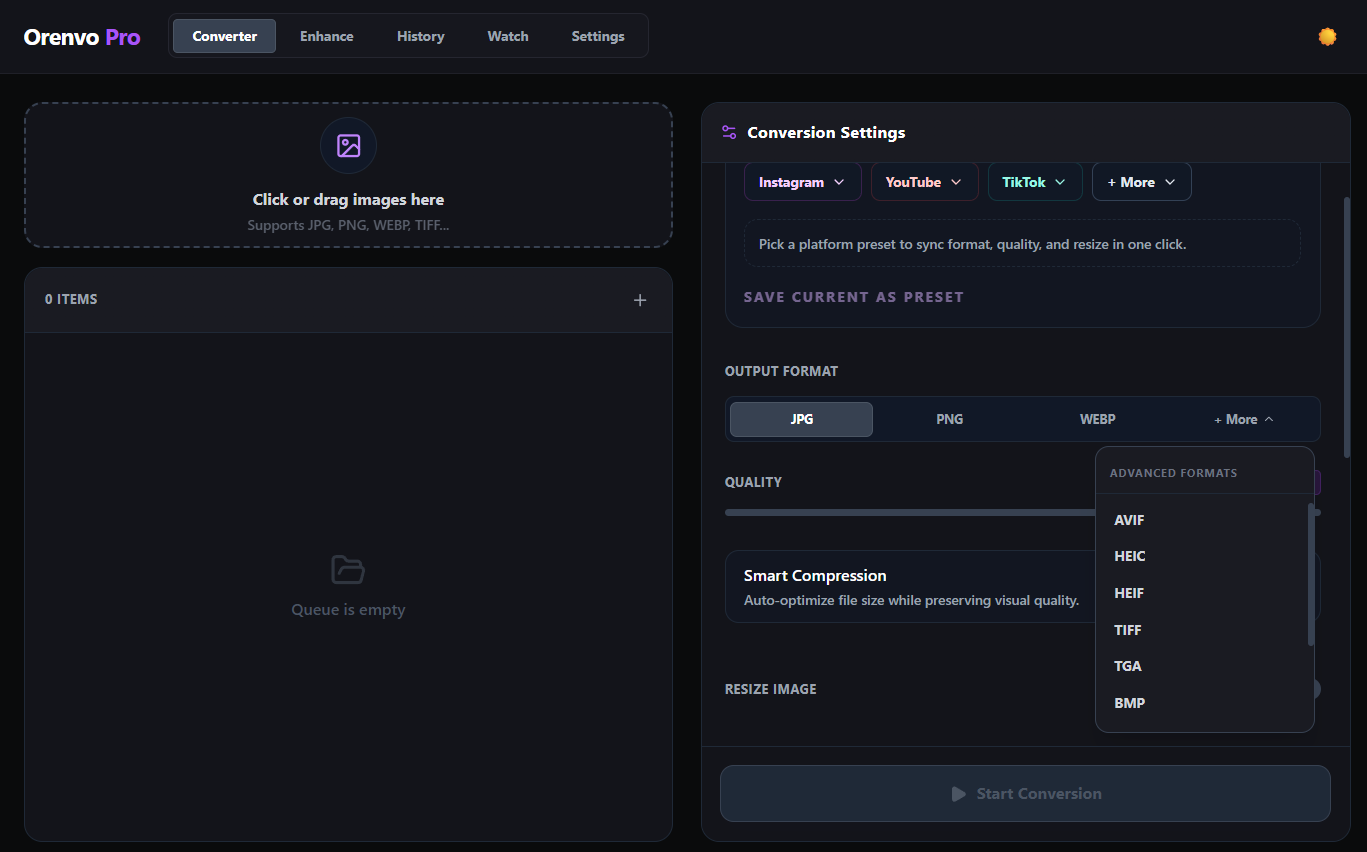
Batch conversion, output folders, compression, and naming in one desktop flow.
Download free
Try the workflow
Upgrade when ready
Why Orenvo Pro works here
Use Orenvo Pro when the job is bigger than a quick conversion and needs a stable local workflow.
Why this matters
Why use a batch image converter?
Once image work repeats across folders and output rules, a one-file tool stops being enough. A batch workflow keeps the whole job manageable.
System fit
Orenvo Pro is designed for image work that comes back every week: repeated folders, predictable outputs, and AI tools that stay on your machine.
Free first
Download the free version to test the core workflow before upgrading.
No Pro tier
Upgrade for unlimited batch workflows, AI tools, automation, and advanced formats.
How it works
How Orenvo Pro handles batch image conversion
Set the workflow once, then run it again on full folders or watched locations whenever the job returns.
Step 01
Add files, folders, or watch a folder for new arrivals.
Step 02
Choose the format, quality, and optional AI tools.
Step 03
Set output routing, naming, and resize rules.
Step 04
Run the batch locally and review the results on your machine.
Why Orenvo Pro
What Orenvo Pro adds to batch conversion
Benefit 01
Broad format support including HEIC and AVIF
Benefit 02
Optional AI background removal and upscaling
Benefit 03
Smart compression and explicit output control
Benefit 04
Watch mode for recurring folder workflows
Privacy
Local-first batch processing
The core workflow stays on your Windows machine, which helps when image libraries, client assets, or internal exports should not move into the cloud.
Supported image processing runs locally on your Windows PC.
AI models download once, then run locally after setup.
License checks, updates, model downloads, and support/reporting features may use network access.
FAQ
Frequently asked questions
Clear answers before users download, test, or upgrade the workflow.
What makes Orenvo Pro a batch image converter?+
It handles folders, format changes, naming, output routing, compression, and AI tools in one local desktop workflow.
Can Orenvo Pro handle repeat conversion jobs?+
Yes. Orenvo Pro is built for recurring desktop image work rather than one-off browser conversions.
Orenvo Pro
Build a repeatable batch image workflow
Download free to try the core workflow on Windows. Upgrade to Pro when batch controls, AI tools, automation, and explicit output folders save real time.