Convert
Prepare entire batches in one run.
Convert common image formats, resize files, rename outputs, and route results without repeating the same manual steps for every file.
Local-first image processing for Windows.
Convert batches, compress assets, remove backgrounds, upscale images, and automate folders from one focused Windows app. Supported image workflows run locally on your PC, so your process stays fast, predictable, and easier to trust.
Windows security notice
Windows or your browser may show a first-download warning because Orenvo Pro is a new unsigned app. If you downloaded it from the official KenoLabs website or GitHub release, choose "Keep" or "Run anyway" to continue.
Orenvo Pro workflow
Batch image processing on Windows

Input
48 product images
ReadyActions
Convert + compress + rename
QueuedOutput
Web-ready folder
LocalWorkflow
Free + Pro
License
Lifetime
Platform
Windows
Launch price
Free + Pro €22.49
No monthly subscription
Regular €44.99
Why it feels different
Orenvo Pro is for Windows users who process images regularly and want the work to feel predictable: clear inputs, clear outputs, local processing for supported workflows, and no monthly subscription.
01
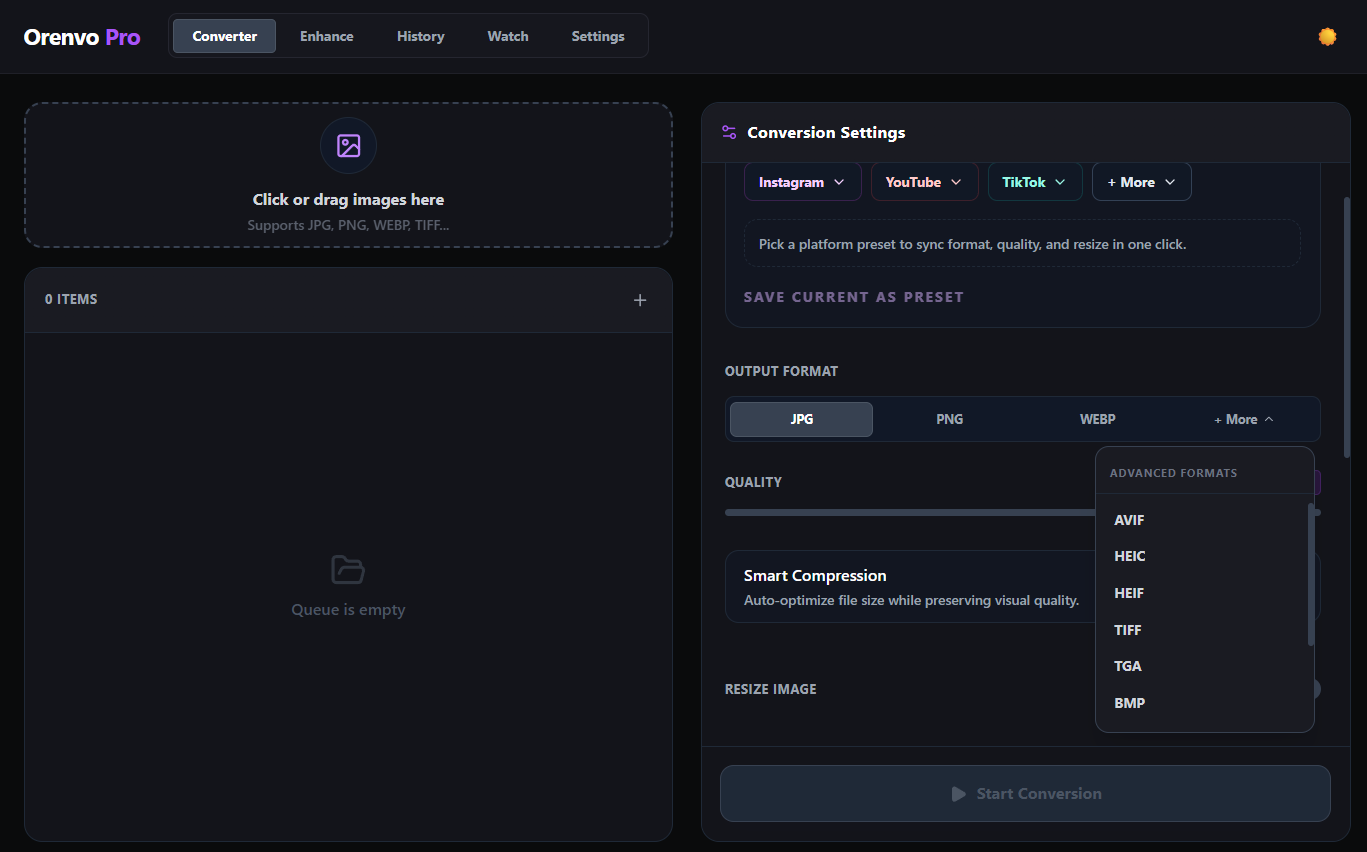
Prepare JPG, PNG, WEBP, AVIF, HEIC, TIFF, TGA, BMP, and ICO files from one repeatable local workflow.
02
Remove backgrounds and upscale images with local AI models that run on your own hardware after setup.
03
Watch folders, use Explorer actions, and keep everyday image work moving without a browser upload loop.
A focused Windows workflow for people who need repeated image tasks to feel controlled, private, and easy to repeat.
Principle 01
Supported conversion, background removal, and upscaling workflows run locally on your PC.
Principle 02
Start with the free workflow, then upgrade once for a lifetime Orenvo Pro license when you need the full toolset.
Principle 03
Keep conversion, AI tools, output rules, history, and folder automation in one Windows desktop app.
Workflow preview
Orenvo Pro is built around the jobs that slow image work down: changing formats, reducing file size, cleaning backgrounds, improving resolution, and repeating the same settings across folders.
Convert
Convert common image formats, resize files, rename outputs, and route results without repeating the same manual steps for every file.
AI Tools
Remove backgrounds or upscale low-resolution images with supported AI workflows that run on your Windows PC after setup.
Automate
Watch Mode can monitor folders and process new images automatically. Explorer actions make quick conversions available from the right-click menu.
Choose the job once, review the output, and reuse the same process whenever new images arrive.
Drop images into the app for one-time work, or configure Watch Mode so new files can be processed automatically as they arrive.
Pick the format, quality, resize settings, smart compression, background removal, or upscaling options that fit the job.
Supported workflows run locally on your Windows PC and save results where you choose. No browser upload step is required for normal supported workflows.
Orenvo Pro connects the practical tools creators, sellers, and Windows power users need most often.
Convert large folders locally and prepare the formats you need without running the same task over and over.
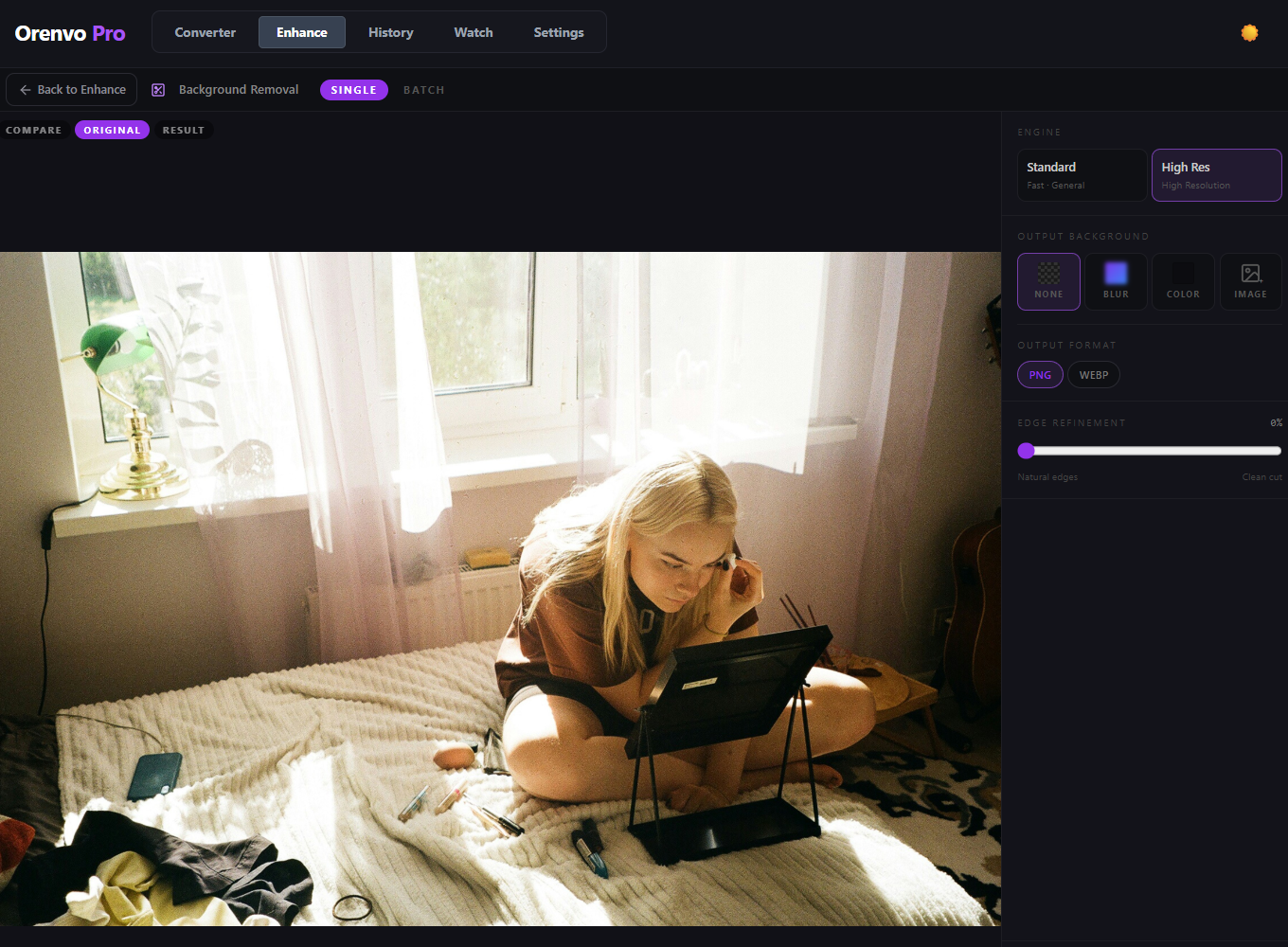
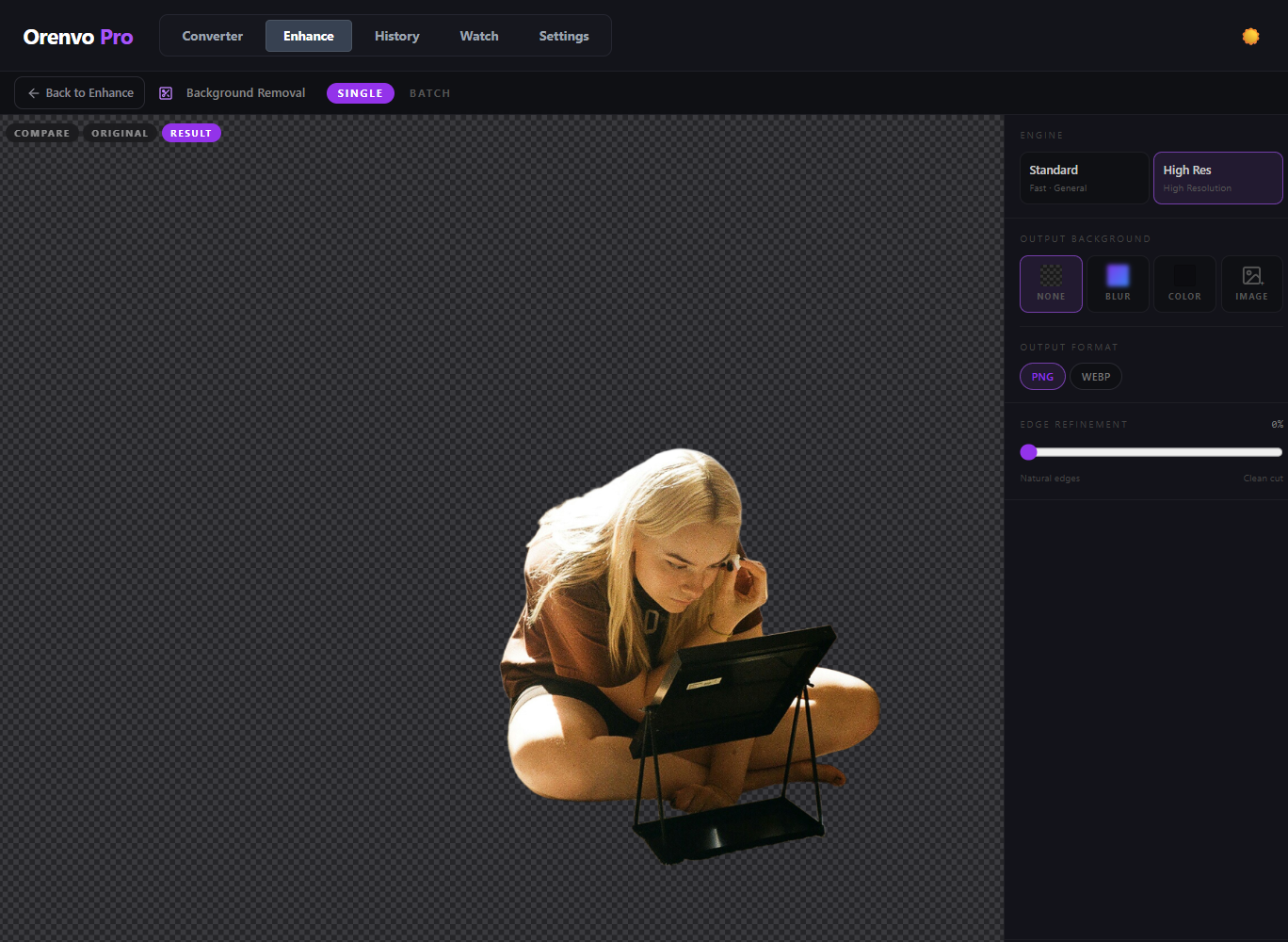
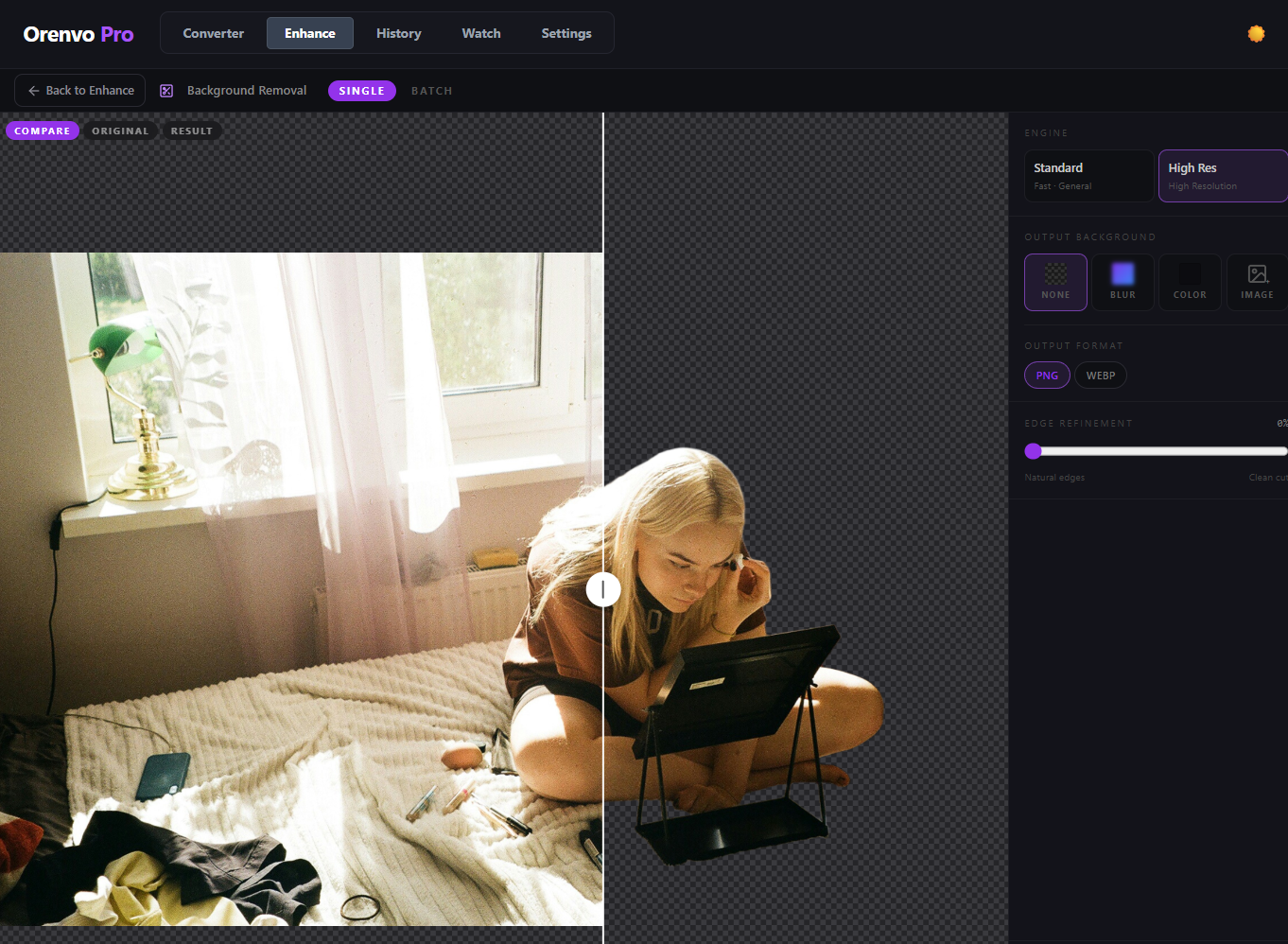
Remove backgrounds from portraits, products, and illustrations with offline quality modes designed for different image needs.
Improve small or soft images with 2×, 4×, or 8× offline AI upscaling models that run on your own hardware.
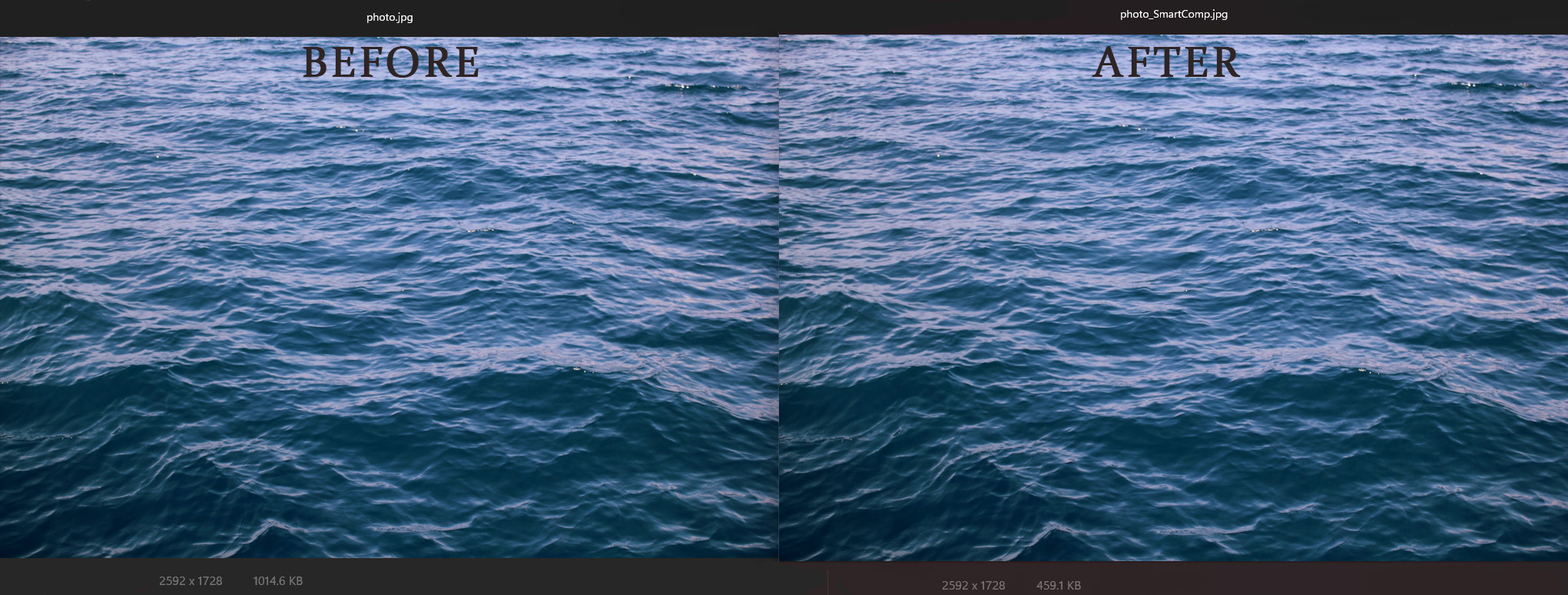
Reduce file size automatically so assets are easier to store, share, and publish while keeping visual quality practical.
Monitor folders for new images and let Orenvo Pro process them in the background using your chosen settings.
Compare the original and processed result before saving so you can publish with more confidence.
Prepare images for common social platforms faster with preset dimensions instead of rebuilding the same export settings.
Start common conversions directly from Explorer when you want a quick result without opening the full app first.
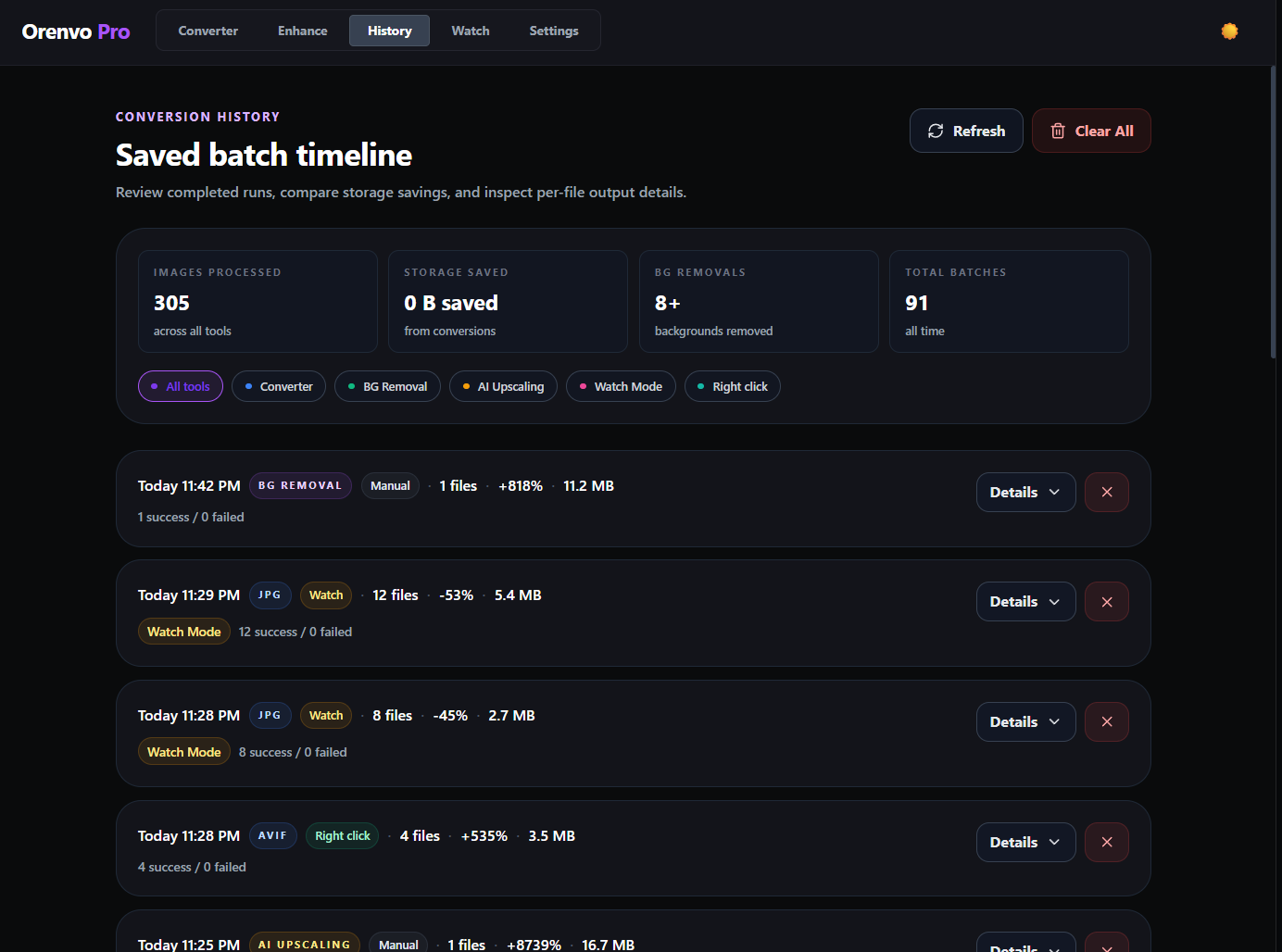
Review past batches, understand what changed, and re-run previous jobs when a workflow needs to be repeated.
Choose Standard or Performance mode so batch jobs use your system resources in the way that fits the moment.
Why Orenvo Pro?
Orenvo Pro brings conversion, background removal, AI upscaling, watch folders, and right-click workflows into one Windows app so image work feels faster, calmer, and easier to trust.
Orenvo Pro is built for creators, sellers, and Windows power users who process images often and want the workflow to stay consistent from job to job.
Browser tools can add upload steps, waiting, and repeated manual settings. Orenvo Pro keeps supported conversion, background removal, and upscaling workflows on your PC.
Use the free workflow first, then upgrade once when Pro makes sense. The Pro license is a one-time payment with 2 personal devices included.
Popular paths
Browse Orenvo Pro routes for format conversion, offline background removal, AI upscaling, watch-folder automation, and local image workflows.
Conversion guide
PNG to WEBP
Open
Conversion guide
JPG to WEBP
Open
Conversion guide
HEIC to PNG
Open
Conversion guide
WEBP to PNG
Open
Conversion guide
AVIF to JPG
Open
Workflow page
Batch Image Converter
Open
Workflow page
Offline Image Converter
Open
Workflow page
Bulk Image Converter
Open
Workflow page
Convert Without Upload
Open
Workflow page
Compress Images for Web
Open
Workflow page
Remove Background Offline
Open
Workflow page
AI Image Upscaler
Open
Workflow page
Watch Folder Conversion
Open
Conversion guide
HEIC to JPG
Open
Workflow page
Convert AVIF
Open
No vague promises. This section explains what runs locally and which product operations may still need network access.
Orenvo Pro is designed around explicit outputs, local processing for supported workflows, and AI models that run on your device after setup.
The core message is simple: supported image workflows run on your Windows PC, while licensing, updates, model downloads, and support features may use network access.
Use the free workflow for basic tasks, or get the full Pro toolset with a one-time lifetime license during the €22.49 launch offer.
No time limit
€0
Try the core Windows workflow before paying. No credit card and no account required for the free workflow.
Offer ends 27.06.2026
€22.49
€44.99
One-time payment
Best for users who process images regularly and want the full local-first workflow.
One-time payment for the full Orenvo Pro workflow. Lifetime Pro license, no subscription, and 2 personal devices included.
Use code LAUNCH50 for 50% off during the launch offer. Regular price is €44.99 after launch.
Workflow comparison
This section compares the workflow itself, not every tool on the internet. The point is simple: when image work comes back again and again, a local Windows workflow can feel faster, clearer, and easier to trust.
Upload flow
Desktop flow
Browser step
Upload files to a web tool
Orenvo step
Add files or folders from your Windows PC
Browser step
Wait for the online process to finish
Orenvo step
Choose format, quality, AI tools, and output rules
Browser step
Download the result back to your machine
Orenvo step
Run supported workflows locally and save outputs where you choose
Browser step
Repeat the same upload flow when the next folder arrives
Orenvo step
Reuse the workflow with batch jobs, history, Watch Mode, or right-click actions
Free first
Download the free version and test the core workflow before buying.
Local where it matters
Supported conversion, background removal, and upscaling workflows run on your Windows PC.
Pro when it saves time
Upgrade for unlimited batches, AI tools, automation, advanced formats, and 2 personal devices.
Network access is still used for things that need it: license checks, updates, model downloads, and support/reporting features. Cloud pricing and feature availability vary by provider, so this is a workflow comparison, not a claim about every online tool.
Detailed comparison
The table keeps the practical buying questions in one place: cost model, local processing, automation, output control, and subscription fit.
| Comparison | Orenvo Pro | Cloud tools |
|---|---|---|
| Price | €22.49 launch offer | Varies by provider and plan |
| Payment model | One-time lifetime Pro license | Often recurring subscription |
| Long-term cost | No monthly Orenvo Pro subscription | Depends on provider and plan |
| Batch image conversion | Included | Varies |
| Background removal | Included | Varies |
| AI upscaling | Included | Varies |
| Local image processing | Supported workflows run locally | Browser upload workflow |
| Watch folder automation | Included | Usually not included |
| Right-click workflows | Included | Usually not included |
| Output folder control | Included | Limited/browser download flow |
| Subscription required | No | Often yes |
Price
Orenvo Pro
Cloud tools
Payment model
Orenvo Pro
Cloud tools
Long-term cost
Orenvo Pro
Cloud tools
Batch image conversion
Orenvo Pro
Cloud tools
Background removal
Orenvo Pro
Cloud tools
AI upscaling
Orenvo Pro
Cloud tools
Local image processing
Orenvo Pro
Cloud tools
Watch folder automation
Orenvo Pro
Cloud tools
Right-click workflows
Orenvo Pro
Cloud tools
Output folder control
Orenvo Pro
Cloud tools
Subscription required
Orenvo Pro
Cloud tools
After purchase
After purchase, your license key is included in your receipt and order page. Download Orenvo Pro, then open Settings -> License and paste your key to activate Pro.
Before you buy, you can review support, refund, and terms pages from the same decision path instead of searching for them later.
Lightweight, GPU-accelerated, and compatible with modern Windows systems.
Straight answers about licensing, local processing, device limits, refunds, downloads, and supported platforms.
No. Orenvo Pro is a one-time payment. The launch price is €22.49, the regular price is €44.99 after launch, and there is no subscription.
Each Orenvo Pro license includes up to 2 personal devices unless stated otherwise. You can activate the same key on both devices through the app.
Supported image workflows run locally on your Windows PC. No browser upload step for normal supported workflows. License checks, updates, model downloads, and support/reporting features may use network access.
Your license key is included in your receipt and order page after purchase. Download Orenvo Pro, open Settings -> License, and paste the key to activate Pro.
Orenvo Pro is currently unsigned, so Windows or your browser may warn on first download or launch. If you downloaded it from the official KenoLabs website or GitHub release, choose “Keep” or “Run anyway” to continue.
Refunds, chargebacks, payment disputes, or reversed orders can revoke Pro access. That includes license activation and continued use of paid features after the order is no longer valid.
Yes for the main workflow after setup. Supported image workflows run locally on your Windows PC, but license checks, updates, model downloads, and support/reporting features may use network access.
Lifetime license means ongoing access to Orenvo Pro for the product line you purchased. It does not mean unlimited access to separate future products or unrelated paid offerings.
Yes. The free download covers the core workflow with limits on batch size and AI usage, so you can try Orenvo Pro before upgrading to the Pro license.
Orenvo Pro supports JPG, PNG, WEBP, AVIF, HEIC, TIFF, TGA, BMP, and ICO. The Pro license unlocks the full format set together with unlimited batch workflows and AI tools.
Right now Orenvo Pro is for Windows. macOS is planned later, but it is not listed as a current shipping platform yet.
Recent product changes, versioned clearly and kept free of marketing language.
May 27, 2026
Ready when you are
Download Orenvo Pro, try the free workflow, and move repeat image conversion, AI cleanup, and folder automation into one local-first Windows app.