Convert Images Without Uploading
Use Orenvo Pro when the image job should stay on your own machine from start to finish.
The free version lets users try the core workflow first. Pro unlocks the full desktop toolset, including unlimited batch workflows, AI tools, automation, and advanced formats.
Keep image work on your machine
No browser upload
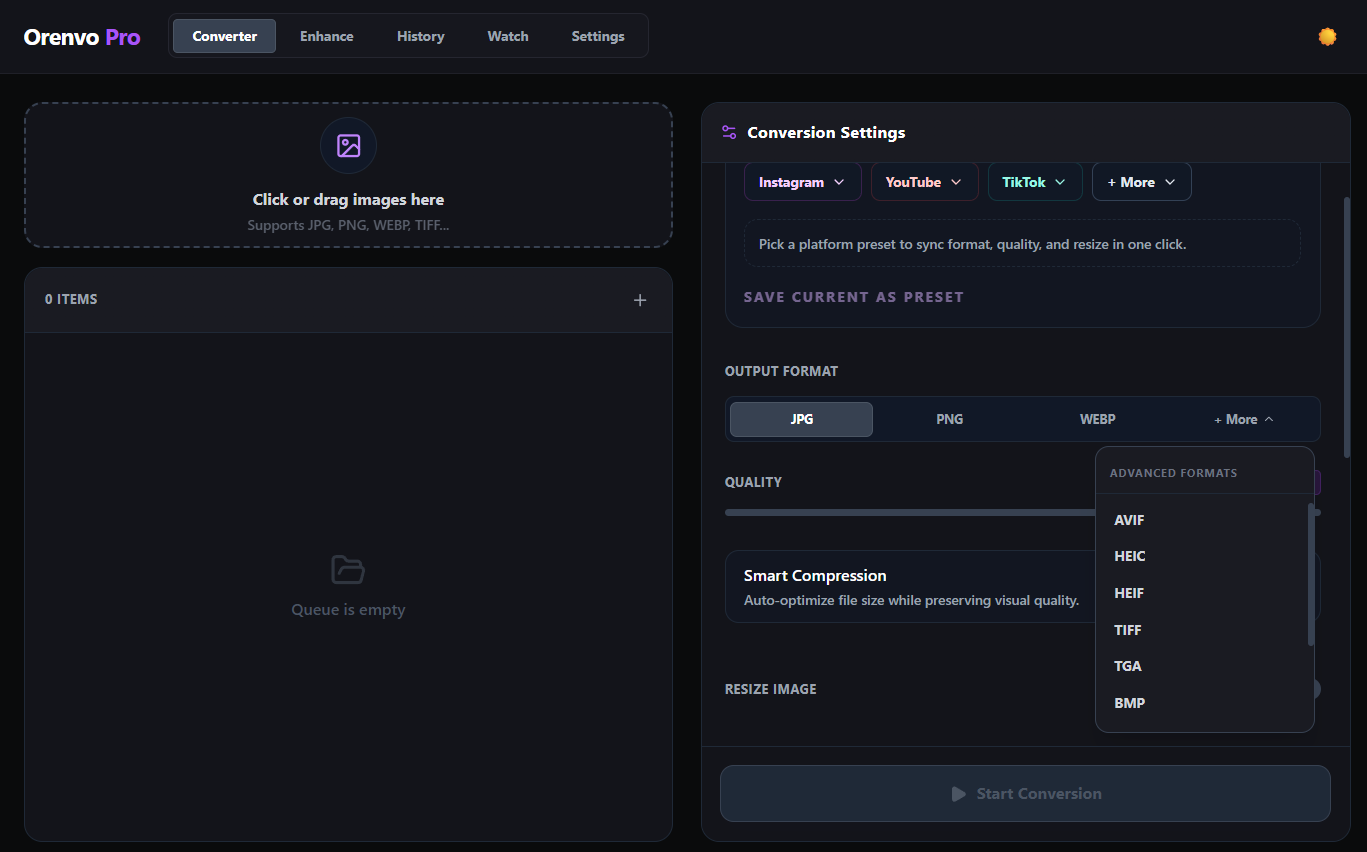
Run supported workflows locally and save outputs where you choose.
Download free
Try the workflow
Upgrade when ready
Why Orenvo Pro works here
Use Orenvo Pro when privacy, control, or repeatability matter more than a browser shortcut.
Why this matters
Why convert images without upload?
Some image workflows are slower, messier, or riskier when they depend on a browser upload step. Local desktop processing is often the better fit.
Operational fit
Orenvo Pro is a local-first Windows app for image work that should stay under your control, from format changes to AI cleanup.
Free first
Download the free version to test the core workflow before upgrading.
No Pro tier
Upgrade for unlimited batch workflows, AI tools, automation, and advanced formats.
How it works
How Orenvo Pro keeps image work local
Choose the files, set the workflow, and run it locally without sending the images anywhere else.
Step 01
Add files, folders, or a watch folder to the app.
Step 02
Choose conversion, compression, background removal, or upscaling.
Step 03
Set the destination and workflow rules.
Step 04
Run the job locally on your own machine.
Why Orenvo Pro
Why Orenvo Pro fits no-upload workflows
Benefit 01
No browser upload step for supported workflows
Benefit 02
No account required for the main desktop workflow
Benefit 03
Conversion and AI tools live in one app
Benefit 04
Output stays in folders you choose
Privacy
Local privacy by design
Orenvo Pro is designed around local processing. Orenvo Pro does not upload your image files for normal supported conversion, background removal, or upscaling workflows.
Supported image processing runs locally on your Windows PC.
AI models download once, then run locally after setup.
License checks, updates, model downloads, and support/reporting features may use network access.
FAQ
Frequently asked questions
Clear answers before users download, test, or upgrade the workflow.
Can Orenvo Pro convert images without uploading them?+
Supported conversion workflows run locally on your Windows PC, so there is no browser upload step for normal conversion jobs.
Why avoid upload-based tools?+
Local processing removes browser limits and keeps files under your control, which matters more once the workload stops being trivial.
Orenvo Pro
Convert images without a browser upload step
Download free to test the no-upload workflow. Upgrade to Pro when you want the full desktop toolset for repeat image work.